
The Power Automate filter array action keeps only the items in an array that match a condition. Set From to your array and a condition like Status is equal to New, and it returns a smaller array with just those items.
In this tutorial, we’ll filter in basic and advanced mode, combine conditions with and/or, match text, and handle blanks and null values. I tested every example in a real flow in October 2026, failures included.
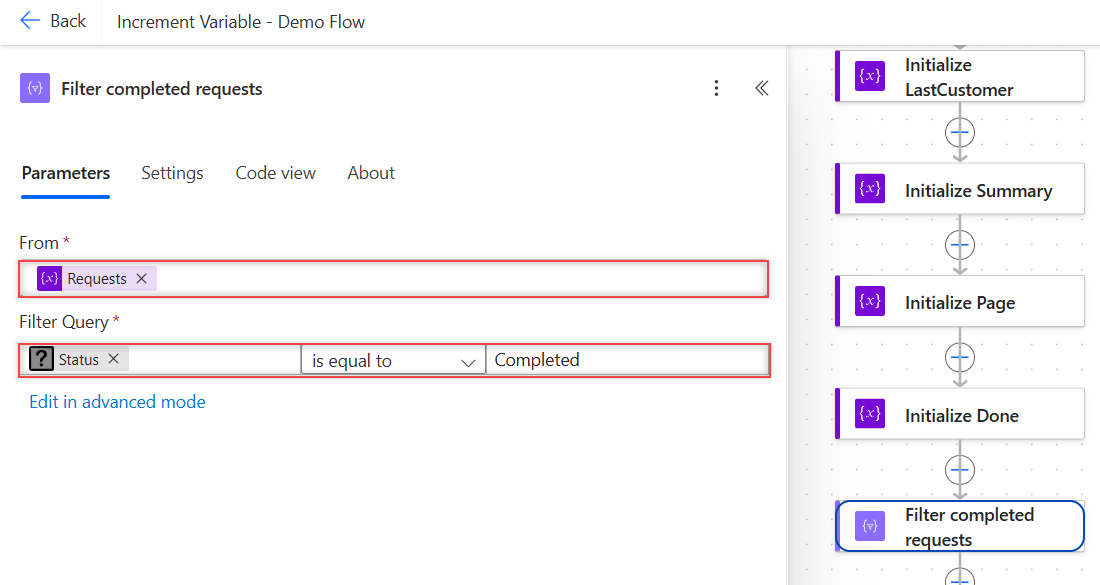
What Does the Filter Array Action Do?
Filter array is a Data Operation action. It looks at each item in an array, checks your condition, and keeps the items where it’s true. The output is a new array; the original stays the same.
Microsoft Learn notes two limits: you can’t change the shape of the items, and text filtering is case-sensitive. To reshape items, pair it with Select. To count what’s left, see how to count items in an array.
What Sample Data Does This Tutorial Use?
Six customer requests, the same rows as my SharePoint list Customer Requests. Some fields are blank on purpose, because real data always has gaps:
[
  { "Title": "Ergonomic chairs - Austin office", "CustomerEmail": "maria.lopez@contoso.com", "DueDate": "2026-10-15", "Status": "New", "Budget": 1250 },
  { "Title": "Laptop refresh - Denver sales team", "CustomerEmail": null, "DueDate": null, "Status": "In Progress", "Budget": 4800 },
  { "Title": "Conference room AV upgrade - Seattle", "CustomerEmail": "dana.reyes@contoso.com", "DueDate": "2026-10-20", "Status": null, "Budget": null },
  { "Title": "Printer toner - NYC front desk", "CustomerEmail": "tom.baker@contoso.com", "DueDate": "2026-10-09", "Status": "Closed", "Budget": 320 },
  { "Title": "Standing desks - Chicago office", "CustomerEmail": null, "DueDate": null, "Status": "New", "Budget": 2100 },
  { "Title": "Badge printer - Boston lobby", "CustomerEmail": "tom.baker@contoso.com", "DueDate": "2026-10-21", "Status": "New", "Budget": 650 }
]
I stored this in a Compose action and used it as the From value. To build arrays like this yourself, see how to create an array of objects.
How Do You Filter an Array in Basic Mode?
- In your flow, select the plus sign > Add an action, search for filter array, and pick Filter array under Data Operation.
- In From, choose the array, such as a variable or the value of Get items.
- In the left box of the filter row, select fx and enter
item()?['Status']. - Choose is equal to and type New in the right box.
- Save and test the flow.
It returned 3 items. Basic mode supports one comparison per row, with operators like is equal to, is not equal to, contains, starts with, and is greater than.
item() is the current item being checked. The ? makes a missing property return null instead of an error, which matters later in this post.
A filter replaces a loop with a Condition inside it, and it runs as one step. Use Apply to each on an array variable only when you must act on each item.
How Do You Use Advanced Mode with And or Or?
Select Edit in advanced mode and write the whole condition as one expression. In my demo flow, this kept requests that are New or In Progress:
@or(equals(item()?['Status'], 'New'), equals(item()?['Status'], 'In Progress'))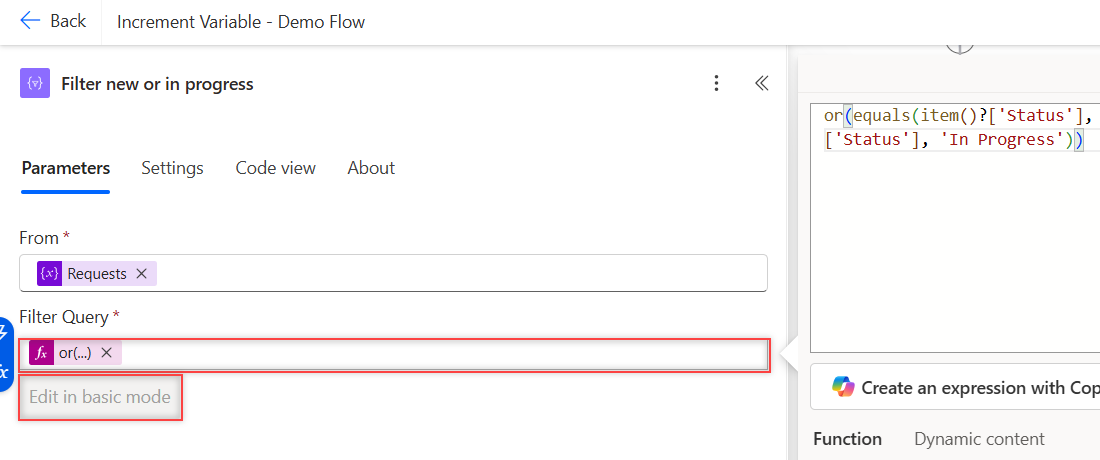
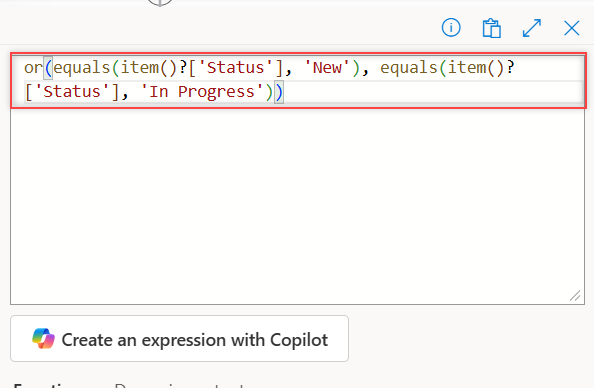
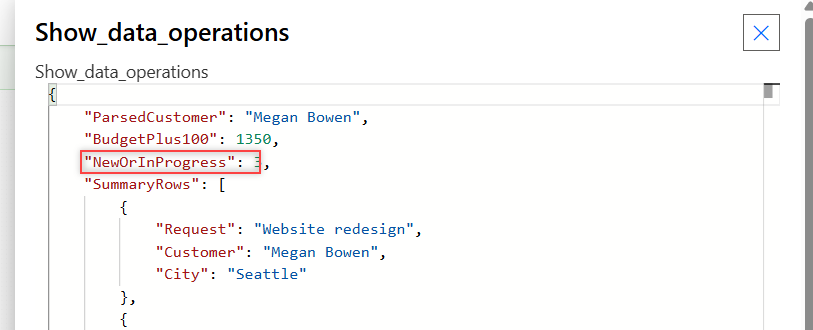
Once the query uses or(), Edit in basic mode is grayed out, so keep a copy of the expression. The result was 3. Here it is in Code view:
"Filter_new_or_in_progress": {
  "type": "Query",
  "inputs": {
    "from": "@variables('Requests')",
    "where": "@or(equals(item()?['Status'], 'New'), equals(item()?['Status'], 'In Progress'))"
  }
}
With and() instead, Status New and Budget over 1,000 returned 2 of my test rows.
How Do You Filter Text with Contains and Starts With?
Use contains() or startsWith(). startsWith(item()?['Title'], 'Laptop') returned 1 item.
Case matters. contains(item()?['Title'], 'Desk') returned 0, because both titles use a lowercase desk. Lowercase the field first to ignore case:
@contains(toLower(item()?['Title']), 'desk')That returned 2: Printer toner – NYC front desk and Standing desks – Chicago office.
How Do You Filter for One of Several Values?
Flip contains() around and check whether a list holds the item’s value:
@contains(createArray('New', 'Closed'), item()?['Status'])It returned 4. This is shorter than an or() with many equals() when you have a long list of allowed values. For more ways to build that list, see how to create an array in Power Automate.
How Do You Filter Out Blank or Null Values?
For text fields, use not(empty()). This kept the 4 requests that have an email:
@not(empty(item()?['CustomerEmail']))To find items where a field is blank, compare with null. equals(item()?['Status'], null) returned the 1 request with no status. My post on the Power Automate condition if blank covers more blank checks.
Why Does Filter Array Fail on Numbers or Dates?
One null value breaks the whole action. greater(item()?['Budget'], 1000) failed because one request has no budget, and nothing was returned at all:
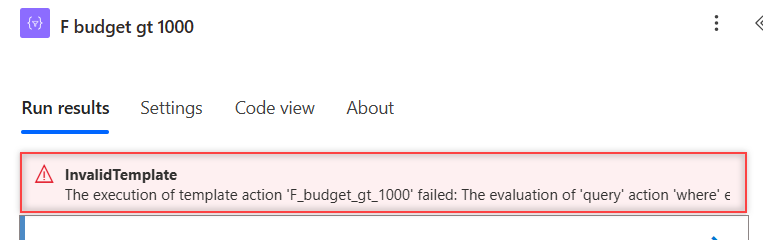
The execution of template action 'F_budget_gt_1000' failed: The evaluation of 'query' action 'where' expression '@greater(item()?['Budget'], 1000)' failed: 'The template language function 'greater' expects all of its parameters to be either integer or decimal numbers. Found invalid parameter types: 'Null'.'.Wrap the field in coalesce() to swap null for a default. This returned 3:
@greater(coalesce(item()?['Budget'], 0), 1000)Dates failed the same way. Comparing item()?['DueDate'] with ‘2026-10-15’ using greaterOrEquals() hit the requests without a due date:
The template language function 'greaterOrEquals' expects two parameter of matching types. The function was invoked with values of type 'Null' and 'String' that do not match.Use coalesce(item()?['DueDate'], '') or filter the blanks out first. To format the dates you compare, see formatting dates with formatDateTime().
What Other Filter Array Errors Should You Know?
Leaving out the ? on a missing property fails. item()['Priority'] returned this error, which helpfully lists the real property names:
The template language expression 'equals(item()['Priority'], 'High')' cannot be evaluated because property 'Priority' doesn't exist, available properties are 'Title, CustomerEmail, DueDate, Status, Budget'.Passing an object instead of an array to From also fails:
The 'from' property value in the 'query' action inputs is of type 'Object'. The value must be an array.That usually means you picked a whole response body. Point From at the array inside it, such as the value of a SharePoint Get items action.
If a number arrives as text, such as “1250”, compare it after you convert the string to an integer.
An empty result isn’t an error. A filter with no matches returned [], and first(body('Filter_array'))?['Title'] on it returned null without failing.
Can You Filter a Simple Array of Strings?
Yes. Use item() on its own, with no property name. Filtering split('Seattle,Denver,Austin', ',') with not(equals(item(), 'Denver')) returned Seattle and Austin.
For text that starts as one line, see my guide to creating an array from a string.
What Happened in My Tests?
| Filter | Result |
|---|---|
| Status is equal to New | 3 |
| or(New, In Progress) in the demo | 3 |
| and(New, Budget > 1000) | 2 |
| or(New, Closed) | 4 |
| contains(Title, ‘Desk’) | 0 (case-sensitive) |
| contains(toLower(Title), ‘desk’) | 2 |
| startsWith(Title, ‘Laptop’) | 1 |
| contains(createArray(‘New’,’Closed’), Status) | 4 |
| not(empty(CustomerEmail)) | 4 |
| greater(Budget, 1000) with a null Budget | Failed: InvalidTemplate |
| greater(coalesce(Budget, 0), 1000) | 3 |
| item()[‘Priority’] without ? | Failed: property doesn’t exist |
Filter Array: Cheat Sheet
| Goal | Filter query |
|---|---|
| Equals | @equals(item()?['Status'], 'New') |
| Not equal | @not(equals(item()?['Status'], 'Closed')) |
| Both true | @and(cond1, cond2) |
| Either true | @or(cond1, cond2) |
| Contains, any case | @contains(toLower(item()?['Title']), 'desk') |
| One of several | @contains(createArray('A','B'), item()?['Status']) |
| Not blank | @not(empty(item()?['CustomerEmail'])) |
| Number, null-safe | @greater(coalesce(item()?['Budget'], 0), 1000) |
For more Power Automate patterns, the Power Automate tutorials hub lists every post in order.
Frequently Asked Questions
How do I filter an array in Power Automate?
Add the Filter array action, set From to your array, and add a condition such as item()?[‘Status’] is equal to New. The output keeps only the matching items.
Is Filter array case-sensitive?
Yes. The data operations article on Microsoft Learn says so, and my contains() test with ‘Desk’ found nothing. Use toLower() on the field to ignore case.
How do I filter an array with multiple conditions?
Select Edit in advanced mode and use and() or or(), such as @or(equals(item()?[‘Status’], ‘New’), equals(item()?[‘Status’], ‘Closed’)).
Why does my Filter array fail with InvalidTemplate?
A field is null in at least one item, and a function like greater() can’t compare null. Wrap the field in coalesce() with a default value.
How do I get the first item from a Filter array?
Use first(body(‘Filter_array’)). On an empty result it returns null, and adding ?[‘Title’] returns null instead of failing.
More Power Automate Tutorials
If you work with arrays a lot, these posts help next:
- saving email attachments to SharePoint
- building an HTML table from an array
- the Power Automate Do until loop
- using the Set variable action

Bijay Kumar is a 13-times Microsoft MVP in Business Applications with over 18 years of experience in the IT industry, recognized for his contributions to the Microsoft community. He is the Founder of TSinfo Technologies and shares practical, tested tutorials on Power Apps, Power Automate, Copilot Studio, and Power BI here on Power Platform FAQs. Read more.